

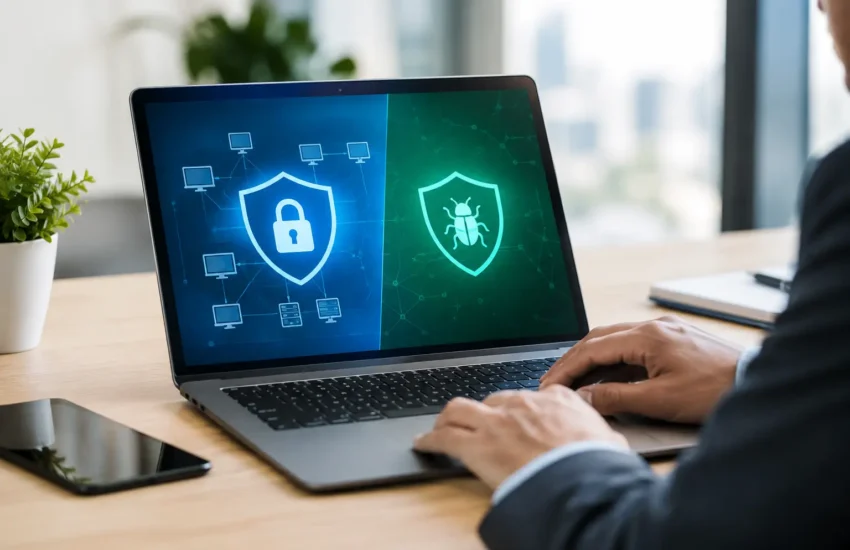
A suspicious sign-in at 02:00, a staff member opening a convincing invoice attachment, and a server suddenly transferring large volumes of data may look like separate events. SIEM versus antivirus software is really a question of whether your business can see the wider pattern, stop the immediate threat, or do both. For growing organisations, the distinction affects downtime, incident costs and confidence in the systems that keep daily work moving.
SIEM versus antivirus software: the core difference
Antivirus software is an endpoint protection tool. It is installed on devices such as laptops, desktops and servers to identify, block, quarantine or remove malicious files and behaviour. It is designed to protect the individual machine where the threat appears.
A Security Information and Event Management platform, commonly called SIEM, collects and analyses security logs from across your environment. That can include firewalls, servers, cloud services, identity platforms, network equipment and endpoint security tools. Its role is to bring separate signals together, identify suspicious patterns and alert the right people to investigate.
The simplest distinction is this: antivirus acts at the endpoint, while a SIEM provides visibility across the estate. Antivirus may stop a known piece of malware from running. A SIEM may show that the same user account attempted to access several systems, logged in from an unusual location and changed security settings shortly before the malware arrived.
Neither is automatically a replacement for the other. A SIEM without effective endpoint protection can provide excellent evidence of an attack that was not stopped quickly enough. Antivirus without central monitoring can block isolated threats while leaving wider compromise, poor configuration or unusual account activity unnoticed.
What antivirus software does well
Modern antivirus is far more capable than the signature-based products many businesses remember. Endpoint protection platforms can use behaviour analysis, reputation checks, exploit prevention and automated isolation to recognise threats that have not yet been assigned a known malware signature.
For a small organisation, this makes antivirus a fundamental security control. It provides direct protection where users browse, download files, receive email attachments and access business systems. When it detects ransomware behaviour on a laptop, it can prevent encryption from spreading further and isolate the device from the network.
Antivirus is also usually easier to deploy and understand. A managed provider can standardise protection across workstations and servers, apply policies, monitor device coverage and ensure definitions and software remain current. It is a practical first line of defence, especially where internal IT resources are limited.
However, endpoint protection has boundaries. It cannot fully explain what is happening in cloud applications, network infrastructure or identity services. It may also miss threats that use legitimate credentials, approved tools or poorly configured remote access rather than a malicious file. An attacker does not need to install obvious malware to cause serious harm.
What a SIEM adds to business security
A SIEM is built for correlation and context. It gathers event data that would otherwise sit in separate tools and turns it into a clearer security picture. This is particularly valuable when a business has adopted Microsoft 365, cloud platforms, remote working, several offices or a mixture of on-premises and hosted systems.
Consider a compromised email account. Antivirus may have nothing to detect if the attacker signs in using the employee’s real password. A SIEM can correlate an unusual sign-in location, repeated failed logins, inbox forwarding rules and an attempted download of sensitive files. Seen together, those events justify a prompt response.
A SIEM can support:
- Earlier detection of suspicious activity across cloud, network, server and endpoint systems.
- Centralised logging that helps investigations, reporting and compliance requirements.
- Alert prioritisation based on patterns rather than one isolated event.
- Better incident response because technical teams can trace what happened and when.
The value is not just visibility for its own sake. It is the ability to make informed decisions before a minor security concern becomes a business interruption. For organisations handling customer data, financial information or commercially sensitive files, that additional context can be decisive.
The trade-off: a SIEM needs people and process
A SIEM is not a switch that makes an organisation secure. It needs carefully selected log sources, sensible alert rules, ongoing tuning and people who can assess alerts. If every minor event generates a warning, the team faces alert fatigue and genuine incidents can be buried in noise.
This is where the choice becomes less about software and more about operating capability. Larger businesses may run a security operations function internally. Startups and small businesses often gain more value when SIEM monitoring is delivered as part of a managed security service, with analysts who can investigate alerts and escalate meaningful risks.
Cost also needs honest consideration. Antivirus is generally predictable and comparatively straightforward to budget for per device. SIEM costs can be influenced by data volume, the systems connected, retention periods and the level of monitoring required. A low-cost SIEM that nobody reviews is not an effective security investment.
That does not mean SIEM is only for enterprises. A growing business with remote staff, cloud applications, regulatory obligations or valuable data may have a stronger need for central detection than a much larger but simpler organisation. The right scope matters more than buying the most extensive platform available.
When antivirus alone may be sufficient
For a very small business with a limited number of managed devices, no complex infrastructure and a low-risk data profile, well-managed antivirus may be the immediate priority. This should sit alongside multi-factor authentication, regular patching, secure backups, email protection and clear staff guidance on phishing.
Even in this scenario, antivirus should not be treated as set-and-forget software. Devices need to be enrolled, policies need to be applied consistently, detections need review, and unsupported systems need to be removed or replaced. One unmanaged director’s laptop can undermine a carefully planned security baseline.
The limitation is that a business can outgrow this model quickly. Adding remote access, cloud storage, additional sites or customer portals creates more places where security events occur. Without central visibility, identifying the connection between them becomes slower and more difficult.
When SIEM and antivirus should work together
For most established businesses, the best answer to SIEM versus antivirus software is not choosing one tool over the other. It is defining how they work together within a layered security service.
Antivirus or endpoint detection and response provides the immediate device-level control. It blocks malicious activity, records endpoint events and can contain affected machines. The SIEM receives those events alongside information from identity systems, firewalls, email security and cloud services. It then highlights activity that deserves investigation, including threats that cannot be recognised on one device alone.
For example, endpoint protection may isolate a laptop after detecting suspicious PowerShell activity. The SIEM can help determine whether the same account accessed other systems, whether similar commands ran elsewhere, and whether the activity started with a phishing email or an exposed remote service. This shortens the path from alert to informed action.
The combined approach also improves recovery. After an incident, the business needs to know which accounts, devices and services were affected before returning to normal operation. Security logs, endpoint records and reliable backups create the evidence and resilience needed to restore services with greater confidence.
How to choose the right level of protection
Start with business risk rather than product names. Ask what would happen if staff could not access systems for a day, if client data was exposed, or if a compromised account sent fraudulent payment instructions. The answers help set a proportionate security baseline.
Next, review the environment you actually operate. Count managed endpoints, but also consider cloud applications, remote access, servers, firewalls, guest networks and privileged accounts. Security gaps often appear between these systems rather than within them.
Finally, decide who will respond when an alert arrives. If there is no internal team available outside office hours, technology alone cannot provide the response capability your business expects. A managed partner can combine endpoint protection, log monitoring, firewall management, backup planning and practical incident support under clear responsibility.
Security works best when it supports the business rather than disrupting it. Begin with dependable endpoint protection, build central visibility when your risks and environment require it, and make sure a capable team is ready to act when the warning signs appear.
