

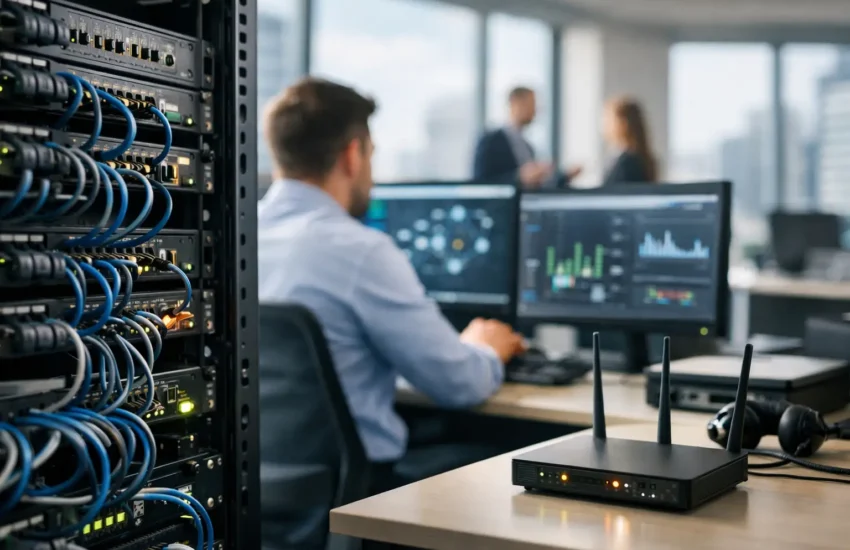
When the office internet slows to a crawl at 10:15 on a Monday, people notice immediately. Calls drop, cloud apps stall, printers vanish from the network, and a small technical issue quickly becomes a business problem. That is why network management services for offices matter – not as a nice extra, but as part of keeping daily work moving, protecting data, and avoiding preventable disruption.
For many businesses, the network only gets attention when something breaks. That approach is costly. An office network supports far more than email and browsing. It carries files, voice systems, cloud platforms, video meetings, printers, security tools, backups, and often remote access for staff working between locations. If that foundation is unstable, every team feels it.
What network management services for offices actually cover
At a basic level, network management means looking after the systems that connect your office and keep traffic flowing properly. That usually includes routers, switches, wireless access points, firewalls, VPNs, structured network design, performance monitoring, patching, and issue resolution.
A managed service goes further than break-fix support. Instead of waiting for staff to report a problem, the provider monitors the network, checks for unusual behaviour, updates firmware, reviews capacity, and addresses weak points before they lead to downtime. That proactive model is especially useful for small and mid-sized businesses that do not have the time or internal expertise to stay on top of every device and setting.
Security is part of the same picture. Office networks are one of the main routes attackers use to access systems, move between devices, or interrupt operations. Poor segmentation, outdated firewall rules, weak Wi-Fi controls, and missed updates all create risk. Good management is not just about speed and availability. It is also about reducing exposure.
Why offices need more than a basic internet setup
A lot of offices start with a simple arrangement that worked when the company was smaller. A broadband connection, a standard router, a few wireless boosters, and devices added over time can carry a business surprisingly far. The problem is that growth changes the demands placed on that setup.
More people bring more devices. More software moves into the cloud. Video calls become constant rather than occasional. Guest access needs to be separated from internal traffic. Staff expect reliable wireless coverage in meeting rooms, reception areas, and shared spaces. At the same time, cyber threats become more frequent and less forgiving.
This is where many organisations hit a gap. The network still functions, but not predictably. Coverage is patchy. Speed drops at peak times. Troubleshooting takes too long. There is no clear record of how equipment is configured. If one key device fails, nobody is fully sure what depends on it.
That uncertainty creates operational risk. It also makes future changes harder. Opening another office, adding a new cloud platform, improving remote access, or tightening security controls all become more complicated when the underlying network has grown without a plan.
The business case for managed network support
For office managers and business owners, the question is usually not whether the network matters. It is whether managed support is worth the ongoing cost. In many cases, it is less expensive than the alternative.
The direct cost of downtime is easy to understand. Staff cannot work normally, customer response slows, and meetings are interrupted. The indirect cost is often larger. Internal teams lose time chasing technical issues, leadership is pulled into avoidable decisions, and confidence in the business takes a knock when systems feel unreliable.
Managed network support helps reduce those costs by giving businesses a consistent way to maintain performance and respond to issues. It also makes budgeting easier. A subscription model is generally more predictable than sporadic emergency call-outs, replacement purchases made under pressure, or ad hoc consultancy each time the business changes.
There is also a resilience benefit. If your business depends on cloud applications, internet-based telephony, shared files, or connected devices, your network is part of core operations. Looking after it properly is closer to maintaining utilities than buying occasional IT support.
What good network management services for offices should include
Not every provider offers the same depth of service. Some focus mainly on connectivity. Others take a broader managed IT approach that combines network operations with user support, cybersecurity, backup planning, and infrastructure advice.
For most offices, the strongest model is one that covers monitoring, maintenance, security, documentation, and support in a joined-up way. Monitoring should identify performance issues early, not simply confirm that a device is online. Maintenance should include firmware updates, configuration reviews, and lifecycle planning. Security should extend to firewall management, secure wireless setup, access control, and support for business continuity.
Documentation is often overlooked, but it matters. When the network is clearly mapped and configurations are recorded, troubleshooting is faster and changes are safer. Without documentation, every issue takes longer to investigate and every handover carries risk.
Support also needs to be practical. Offices do not just need technical expertise. They need responsiveness, clear communication, and a provider that understands the business impact of outages. A meeting room Wi-Fi problem may sound minor on paper, but if it affects client presentations or senior calls, it is not minor at all.
Performance and security need to be managed together
One common mistake is treating network performance and network security as separate jobs. In practice, they affect each other constantly. Security tools can slow traffic if they are poorly configured. Open access and weak controls may feel convenient, but they increase the likelihood of incidents that cause major disruption later.
A well-managed office network balances both. Staff should be able to connect quickly and work without friction, but access should still be controlled. Guest users should be separated from internal systems. Remote access should be secure. Firewalls should be reviewed as the business changes, rather than left with old rules that nobody fully trusts.
This is particularly important for businesses with hybrid working patterns. Once staff connect from home, from shared spaces, and from mobile devices, the old office perimeter becomes less meaningful. The office network still matters, but it now needs to work as part of a wider secure environment. That calls for planning, not improvised fixes.
When to bring in outside help
There are usually clear warning signs. Repeated connectivity complaints, poor wireless coverage, unexplained slowdowns, ageing hardware, failed updates, unclear documentation, and rising security concerns all point to the need for a more structured approach.
Growth is another trigger. If you are hiring quickly, moving premises, opening additional sites, adopting new cloud platforms, or supporting more remote staff, your network needs are changing whether you address them or not. Bringing in a managed provider before a major transition is often easier than trying to stabilise things afterwards.
For smaller businesses, the decision often comes down to focus. You may be able to keep the network running internally for a while, but that does not mean it is the best use of leadership time. Outsourcing to a provider with managed services experience gives you access to broader skills without building a full in-house team.
Choosing a provider without overbuying
The right service depends on your office size, sector, risk profile, and growth plans. A small professional services firm may need dependable Wi-Fi, secure remote access, strong firewall management, and responsive support. A larger operation with multiple departments, guest traffic, VoIP systems, and compliance requirements will need more structure and tighter controls.
What matters is fit. A provider should assess your current setup, identify weak points, explain priorities clearly, and recommend a service level that matches how your business works. If every answer sounds like a standard package regardless of your environment, that is a warning sign.
This is also where an integrated managed IT and cybersecurity provider can add value. Instead of splitting responsibility across different vendors, you get a single partner looking at network health, user support, infrastructure planning, and cyber risk together. For many businesses, that reduces confusion and speeds up decision-making. URBlink works in that model because office technology rarely fails in neat categories.
A stable office starts with a stable network
Most businesses do not need the most complex network. They need one that is well planned, properly secured, actively maintained, and supported by people who respond when it matters. That is the real value of managed network services for offices. They turn a fragile part of the business into something dependable.
If your team relies on connected systems to serve customers, share information, and stay productive, your network deserves more than occasional attention. A steady, well-managed foundation gives you room to grow with fewer surprises.
