

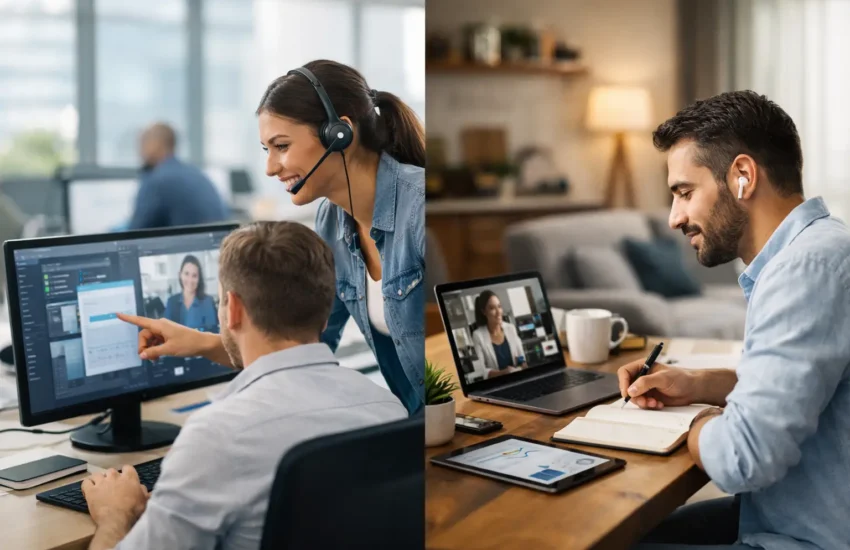
Monday problems used to stay in one building. Now they can start in a meeting room, continue on a train, and end with someone trying to join a call from their kitchen table. That is why IT support for hybrid offices needs a different standard. It is no longer just about fixing laptops when they fail. It is about keeping people productive, protected, and connected wherever work happens.
For most growing businesses, hybrid working has settled into something permanent. Staff split their time between home and the office, teams use a mix of cloud platforms and on-site systems, and devices move between trusted and untrusted networks every day. The benefit is flexibility. The cost is complexity. When support is not built for that reality, downtime increases, security gaps widen, and small issues take longer to resolve.
Why IT support for hybrid offices is different
Traditional office support was designed around a simple assumption: users, devices, and systems were all in one place. That made troubleshooting more direct. A technician could walk to a desk, inspect a machine, test the network, and solve the issue locally.
Hybrid environments remove that certainty. A login problem might be caused by a home router, a conditional access policy, an expired password, or a misconfigured device. A poor video call might be a broadband limitation, a headset fault, or a wider issue with a collaboration platform. Support teams need broader visibility and faster remote response because they cannot rely on physical access.
There is also a security shift. In a hybrid office, the perimeter has changed. Staff connect from homes, shared spaces, client sites, and mobile devices. Files move through cloud storage, email, and collaboration tools. If security controls are inconsistent, one employee working remotely can expose the wider business to phishing, ransomware, or unauthorised access.
That is the real challenge. Hybrid working is not just remote access plus office Wi-Fi. It is an operating model that needs joined-up support, infrastructure management, and cybersecurity.
What good hybrid office support looks like
The strongest support model starts with the user experience. Employees should be able to get help quickly whether they are in the office or at home. That usually means a responsive helpdesk, remote monitoring, and clear escalation paths. If support depends too heavily on site visits alone, remote staff often end up waiting longer for simple fixes.
Just as important is consistency. Devices should be configured to the same standard, security policies should follow the user rather than the location, and core applications should behave predictably across different networks. This reduces avoidable tickets and makes troubleshooting far simpler when problems do occur.
A good provider also works proactively. That means monitoring systems for warning signs, applying patches, checking backups, reviewing security alerts, and spotting recurring issues before they disrupt the business. In hybrid setups, prevention matters more because the impact of disruption spreads quickly across dispersed teams.
Support has to cover people, devices and platforms
Many businesses focus on one layer and miss the rest. They might buy better laptops but leave identity controls weak, or move to cloud tools without revising support processes. Effective hybrid support covers the full chain: end-user devices, network access, cloud services, collaboration platforms, backups, and security controls.
If one part is neglected, users feel it. For example, a business can have excellent Microsoft 365 administration, but if laptops are not encrypted or patching is inconsistent, risk remains high. Likewise, strong endpoint protection helps, but if staff cannot get quick help when a device locks them out before a client meeting, productivity still suffers.
The biggest pain points in hybrid offices
Password resets and account lockouts sound minor, but in hybrid businesses they are often more disruptive than hardware failures. Staff need secure access to email, documents, shared systems, and meetings from multiple locations. If identity management is clumsy, a routine access issue can stop a working day before it begins.
Device management is another pressure point. In fully office-based setups, machines can be updated and checked on-site with relative ease. In hybrid environments, devices may go weeks without touching the office. That makes centralised device management essential. Without it, updates get missed, security settings drift, and support becomes reactive.
Home networks add another layer of uncertainty. Businesses usually cannot control the quality of domestic broadband or the layout of each employee’s Wi-Fi setup. Support therefore needs practical boundaries. It should help staff work effectively from home, but it should also distinguish between what the business can standardise and what remains outside direct control. That balance matters for both cost and accountability.
Then there is collaboration fatigue. When meetings, messaging, file sharing, and project updates all run through digital platforms, even a small issue can cause wider friction. Repeated call dropouts, sync errors, or permissions mistakes chip away at confidence. Over time, teams start creating workarounds, and those workarounds often create security and compliance problems.
Security cannot sit beside support
In hybrid offices, support and security have to work together. If they are treated as separate functions, gaps appear quickly. A helpdesk might restore access without spotting suspicious behaviour. A security tool might flag a threat, but no one follows through with the affected user fast enough to contain it.
That is why managed support for hybrid environments should include core security disciplines as part of daily operations. Multi-factor authentication, endpoint protection, encryption, backup verification, firewall management, and access reviews should not be optional extras. They are basic safeguards for a workforce that moves between locations and devices.
There is a trade-off here. Tighter controls can frustrate users if they are poorly introduced. Too many prompts, rigid restrictions, or unclear policies can slow people down. The answer is not weaker security. It is better planning, clear communication, and support that understands how staff actually work.
Business continuity matters more in hybrid models
When teams are distributed, disruption is harder to contain. If an office internet line fails, some staff may continue working from home. If a cloud platform goes down, both office-based and remote users may be affected at once. If a laptop is lost during travel, the risk is not just replacement cost but data exposure and interrupted access.
Business continuity planning should account for these mixed scenarios. That includes tested backups, documented recovery procedures, secure remote access, device replacement planning, and a clear response when accounts or endpoints are compromised. The goal is not to eliminate every incident. It is to reduce downtime and make recovery orderly.
Choosing the right IT support model
For startups and small businesses, building a full in-house team for hybrid support is rarely practical. The workload is too varied. One day you need helpdesk support, the next day cloud configuration, then cyber incident response, then project planning for a new office opening. Hiring for all of that internally is expensive and often leaves coverage gaps.
That is where a managed service model tends to make sense. It gives businesses access to a wider technical skill set, a predictable support structure, and stronger continuity if one person is unavailable. It also creates a single point of responsibility, which matters when issues cross over between devices, networks, cloud systems, and security.
Still, not every provider is a good fit. Some are strong on day-to-day support but weak on cybersecurity. Others lead with security tools but offer limited user support. For hybrid offices, the better choice is a partner that can handle both operational support and protective controls without treating them as separate conversations.
When assessing providers, look beyond response times alone. Ask how they manage remote devices, how they handle onboarding and offboarding, how they monitor backups, how they secure cloud platforms, and what happens during a security incident. Hybrid support is only as strong as its weakest process.
A practical way to improve support for hybrid offices
If your current setup feels stretched, start with visibility. Identify which devices are in use, which systems staff rely on daily, where support tickets are recurring, and where security controls are inconsistent. Many hybrid problems persist simply because no one has a complete picture.
Next, standardise what you can. That usually means approved devices, centralised management, consistent authentication policies, and a defined support route for all staff. Standardisation does not remove flexibility. It creates a stable baseline so support is faster and security is easier to enforce.
Then review your support from the employee’s point of view. Can someone get help quickly from home? Can a new starter be onboarded without confusion? Can access be removed promptly when someone leaves? These are operational details, but they shape risk, productivity, and trust.
For businesses that want a steadier model, providers such as URBlink can bring support, infrastructure management, and cybersecurity into one service relationship. That reduces fragmentation and gives growing teams a clearer path as hybrid working evolves.
Hybrid work is no longer an experiment for most businesses. The question is whether your support model still reflects how your people actually work. If it does, technology becomes quieter, safer, and far less likely to interrupt the day.
