

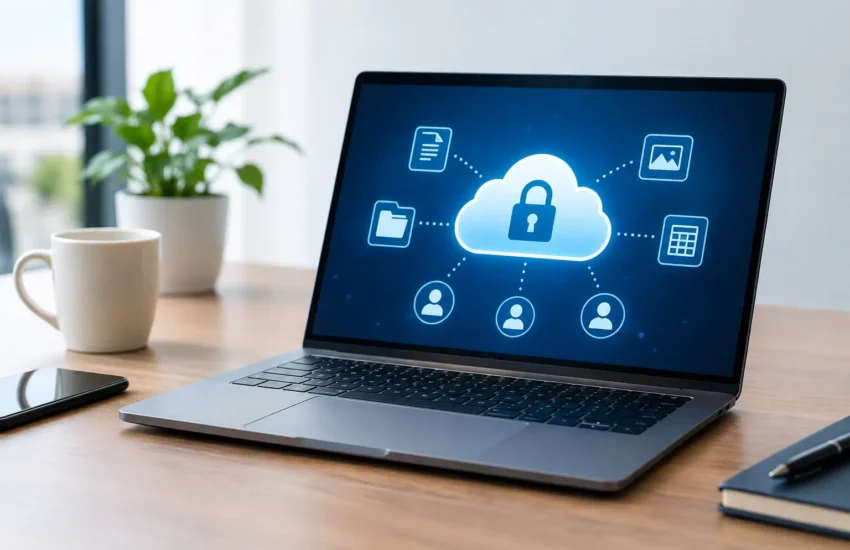
A spreadsheet sent to the wrong recipient, an expired contractor account, or a public sharing link that remains active for months can expose far more than a single document. For growing businesses, learning how to set up secure file sharing means creating a controlled way for people to work together without letting sensitive information drift beyond the organisation’s control.
The right approach is not simply to buy a cloud storage subscription. Secure file sharing depends on clear ownership, sensible permissions, protected devices and a process your team can follow under pressure. Done well, it reduces the chance of a data breach while making everyday collaboration easier.
Start with the files that matter most
Not every document needs the same protection. A public marketing image and a folder containing employee records should not be shared in the same way. Before choosing settings or platforms, identify where your business stores files and what types of information they contain.
For most organisations, the highest-risk material includes customer information, financial records, contracts, identity documents, payroll data, commercial plans and credentials. Consider who needs each category, whether external partners require access, and how long files need to be retained. This creates a practical foundation for permissions rather than relying on broad, permanent access.
It also helps to reduce file sprawl. When teams use personal drives, consumer transfer tools and multiple messaging apps alongside approved systems, it becomes difficult to know where business data is held. Agree on one primary file-sharing environment wherever possible, with a defined process for exceptions.
How to set up secure file sharing with the right platform
Choose a business-grade service that supports central administration, user management, access logging, encryption and multi-factor authentication. Many organisations use a managed cloud collaboration platform because it gives staff access from the office, home and client locations while allowing administrators to set consistent security policies.
The best option depends on your existing systems and the nature of your work. A small team that mainly shares internal documents may need a straightforward shared workspace. A business that regularly exchanges large designs, legal documents or client data may need detailed external-sharing controls, audit records and data residency options.
Avoid making the decision solely on storage capacity or price. Check whether administrators can remove access quickly, see sharing activity, prevent downloads where appropriate and recover deleted files. If personal data is involved, confirm that the service and your use of it support your data protection obligations, including UK GDPR or EU GDPR requirements where applicable.
Keep business and personal accounts separate
Every employee should access company files through an individual business account, not a shared login or personal email address. Individual accounts make it possible to see who accessed information, apply the right permissions and remove access when somebody leaves.
Shared accounts may feel convenient, particularly for a small team, but they remove accountability. They also make it harder to contain an incident if credentials are compromised. Use group-based access instead: create groups for functions such as Finance, Operations or Project Alpha, then assign people to those groups as their responsibilities change.
Apply least-privilege access from day one
Least privilege means giving each user only the access needed to do their job. It is one of the most effective controls in secure file sharing because it limits the impact of a stolen password, a mistaken share or an insider error.
Start with distinct folders or workspaces for departments, clients and projects. Give team members access at the folder level where possible rather than granting permissions file by file. Limit editing rights to people who genuinely need to change documents, while others receive view-only access.
External access needs even tighter control. Instead of sending a folder that contains every project file, share the specific documents a supplier, adviser or client requires. Set an expiry date for the invitation and review whether access is still needed when the project reaches a milestone. Password-protected links can help, but a named guest account with multi-factor authentication provides better traceability for sensitive material.
Be cautious with any setting described as “anyone with the link”. It is useful for truly public content, but it is rarely appropriate for internal, client or confidential documents. A link can be forwarded, copied into a chat, or found in an old email thread long after the original purpose has passed.
Protect accounts, devices and data
File-sharing security is only as strong as the account and device used to access it. Require multi-factor authentication for all users, particularly administrators and anyone with access to finance, customer or personnel records. A password alone is too easily reused, guessed or captured through phishing.
Use strong, unique passwords supported by an approved password manager. Where your platform allows it, block sign-ins from older authentication methods and require users to re-authenticate when risk signals change. Administrators should use separate privileged accounts for administrative work rather than browsing and reading email with elevated permissions.
Encryption should protect files both while they are being transferred and while they are stored. Most reputable business platforms provide this as standard, but it is still worth confirming what is covered. For particularly sensitive files, consider additional encryption or rights management that restricts copying, printing or forwarding. These controls can be valuable, although they add friction and should be tested with the people who need to use them.
Managed company devices provide a further layer of protection. Keep operating systems, browsers and security software updated, enable screen locks, and ensure lost laptops and mobiles can be remotely secured or wiped. If staff use personal devices, define what access is permitted and use mobile device management or browser-only access where the risk justifies it.
Build a safe process for sharing outside the business
Most sharing mistakes happen during routine work, not because someone intends to take a risk. A clear process removes uncertainty. Staff should know which tool to use, how to choose the right permission level and when they need approval before sharing sensitive information externally.
For example, confidential files may require a named recipient, view-only permission, an expiry date and confirmation of the recipient’s email address. Documents containing special category personal data, banking details or commercially sensitive plans may require an additional approval step. The exact rules should reflect your business, but they need to be simple enough to follow.
Train staff to pause before sending. They should check the recipient, inspect the sharing setting, and avoid placing sensitive attachments in ordinary email when a controlled sharing link is available. Phishing awareness matters here too: attackers often use fake document-sharing notifications to capture login details.
Maintain backups and prepare for recovery
Cloud file sharing does not remove the need for backups. Files can still be deleted accidentally, overwritten, encrypted by ransomware through a synchronised device, or made unavailable by a configuration error. Version history and recycle bins are useful, but they are not a full recovery plan.
Keep an independent backup of critical business data and test restoration regularly. Decide which folders are essential to recover first, who can authorise recovery, and how quickly systems need to be available after an incident. A backup that has never been tested is an assumption, not a safeguard.
Review access and monitor what is happening
Secure sharing is not a one-time project. Employees change roles, projects close, suppliers finish work and new risks emerge. Review access permissions on a regular schedule, with more frequent checks for high-risk folders and administrator accounts.
Use audit logs to investigate unusual behaviour, such as mass downloads, repeated failed sign-ins, sharing to unfamiliar external domains or sudden changes to permissions. Alerts can help, but they need an owner and a response process. Otherwise, warning notifications become background noise.
A managed IT and cybersecurity partner can support this ongoing work by configuring policies, monitoring security events, managing user changes and helping the business respond when something does not look right. This is particularly useful for organisations without a dedicated internal IT team, where security tasks can easily be delayed by daily operational demands.
Make secure sharing part of everyday operations
The aim is not to make staff jump through unnecessary hoops. It is to make the safe route the easiest route: one approved platform, clear access rules, protected accounts and dependable support when an exception is needed. Begin with your most sensitive folders, correct overly broad permissions, and improve the process in manageable stages.
Secure file sharing works best when it is treated as part of business continuity, not a checkbox for compliance. The right controls protect client trust, give employees confidence in the tools they use, and keep an ordinary file exchange from becoming a costly incident.
