

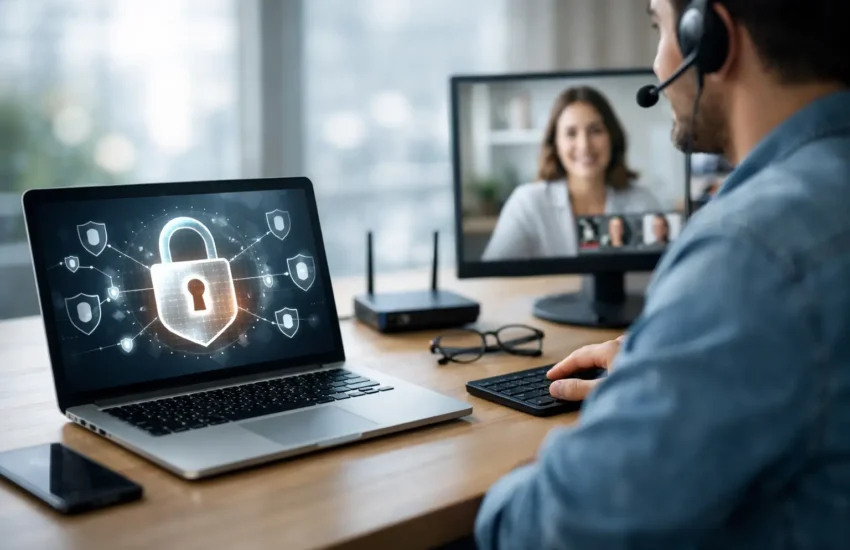
A remote worker signing in from a home broadband connection, a hotel Wi-Fi network or a customer site should not have the same level of trust as a device inside the office. Yet they still need reliable access to files, business applications and support. The best secure remote access solutions balance those two needs: they make work practical without giving attackers an easy route into your systems.
For a small or growing business, the right choice is rarely the product with the longest feature list. It is the approach that protects the applications and data you use, fits your team’s working habits, and can be monitored properly over time. Remote access is not a one-off setup. It is part of your wider security, support and continuity plan.
What secure remote access needs to protect
Remote access creates a connection between people, devices and company resources that sit outside the same physical network. That connection can be targeted through stolen passwords, unpatched laptops, fake sign-in pages, insecure public Wi-Fi or overly broad user permissions.
A secure setup therefore needs more than a password-protected virtual private network. It should confirm who is requesting access, check whether their device is safe enough to connect, limit them to the systems they genuinely need, and record activity that may require investigation. Multi-factor authentication is a baseline, not an optional extra.
For many businesses, the greatest risk is not a sophisticated attack. It is an account that was never removed after someone left, a shared administrator login, or a staff member connecting from an unmanaged personal device. Good remote access controls reduce the impact of everyday mistakes as well as deliberate threats.
The best secure remote access solutions by business need
There is no single answer for every organisation. The best model depends on whether your team mainly uses cloud software, needs to reach office-based systems, works with sensitive client data, or relies on specialist applications that cannot easily move to the cloud.
Zero-trust network access for controlled application access
Zero-trust network access, often called ZTNA, gives users access to specific applications rather than placing them broadly on the company network. Each access request is assessed using factors such as the user’s identity, multi-factor authentication status, device condition and location signals.
This is often the strongest option for businesses that have adopted cloud services or want to reduce their dependence on a traditional VPN. If a user only needs the finance system, customer relationship platform or remote desktop service, they can be granted access to that service alone. They do not need visibility of every server or device on the internal network.
The trade-off is planning. ZTNA works best when applications, users and access rules are clearly understood. Older on-premises software may need additional configuration, and a rushed rollout can frustrate staff. With proper design, however, it reduces the damage a compromised account can cause.
Managed VPN access for established internal systems
A business VPN creates an encrypted tunnel between an authorised device and the company network. It remains a sensible solution where staff need access to several internal resources, such as file servers, line-of-business applications or systems hosted at the office.
A managed VPN should include multi-factor authentication, individual user accounts, current encryption standards, restricted access groups and regular review of logs. It should never rely on one shared password or an internet-facing device that is left unpatched.
VPNs can be efficient and familiar for employees, but they need careful segmentation. A user connecting to retrieve one document should not automatically be able to reach critical servers, backup systems or network equipment. For this reason, many businesses use VPN access alongside network segmentation and role-based permissions.
Secure remote desktop for specialist or legacy applications
Remote desktop services can keep sensitive data inside the business environment while allowing employees to work from almost any approved device. Instead of storing files locally on a laptop, the user accesses a managed desktop or application session hosted in the office, data centre or cloud.
This can be particularly useful for accounting packages, design software, databases and legacy applications that are difficult to replace. It also gives IT teams greater control over patching, backups and data handling.
The security standard matters. Remote desktop services should not be exposed directly to the internet. They need a protected gateway, multi-factor authentication, device controls and monitoring. Performance also needs testing, especially for teams working with large files or graphics-heavy software. A secure solution that is too slow to use will encourage risky workarounds.
Cloud identity and software access for cloud-first teams
If most work happens in cloud-based email, document platforms and software-as-a-service applications, identity management may be more important than network access. A central identity platform can enforce multi-factor authentication, single sign-on, conditional access policies and rapid account removal when staff change roles or leave.
Conditional access can require stronger checks when someone signs in from an unfamiliar country, an unmanaged device or a higher-risk network. It can also block old sign-in methods that do not support modern authentication.
This option is usually straightforward for startups and businesses with few on-premises systems. It is not a replacement for secure access to every resource, though. If staff still use local servers, printers, databases or remote desktops, those systems need their own protected access path.
How to choose between remote access options
Start with the work your people must do, rather than the technology you already own. Identify the applications, files and systems needed away from the office. Then separate them by sensitivity and by the people who need them. A director, a payroll administrator and a temporary contractor should not all receive the same access.
Next, review devices. Company-managed laptops offer the clearest security position because they can be encrypted, patched, protected with endpoint security and removed remotely if lost. Bring-your-own-device arrangements can work, but they require clear policies. For some roles, browser-only access or virtual desktops are safer than allowing personal devices onto the internal network.
Consider operational support as well. Someone must add and remove users, investigate unusual sign-ins, renew certificates, apply security updates and respond when a device is compromised. Small internal teams often find that the technology is manageable at first but becomes inconsistent as the business grows. Managed IT support provides an accountable process for maintaining access controls, not simply installing them.
For organisations handling personal data, financial information or confidential client records, document the access design and keep evidence of reviews. This supports good governance and can make incident response far less stressful. In Europe, it also helps businesses demonstrate that access to personal data is limited to legitimate business purposes.
Controls that should accompany every solution
Whether you choose ZTNA, a VPN, remote desktop or cloud identity controls, several measures should be in place. The following are practical minimums:
- Multi-factor authentication for every remote connection, including administrators.
- Separate accounts for each user, with no shared credentials.
- Least-privilege permissions based on job role and regular access reviews.
- Managed, encrypted devices with timely security patches and endpoint protection.
- Central logging and alerts for failed sign-ins, unusual locations and privilege changes.
- Tested backups and a response plan in case an account or device is compromised.
These controls are most effective when they are applied consistently. For example, multi-factor authentication does little if an attacker can use an old mail protocol that bypasses it, or if a compromised administrator account has unrestricted access to the network.
Avoid treating remote access as a convenience feature
Pressure to get people working quickly can lead to shortcuts: opening a remote desktop port, retaining access for former staff, or allowing every personal laptop to connect through the VPN. Each shortcut may appear harmless until an account is stolen or a device is infected.
A better approach is to make secure access easy enough that staff will use it. Clear sign-in steps, responsive support and sensible policies matter. Security that repeatedly prevents legitimate work will be bypassed; security that is designed around real roles and applications is more likely to be followed.
URBlink helps businesses assess their current access arrangements, strengthen identity and device controls, and maintain the systems behind secure remote work. The aim is not to add complexity for its own sake. It is to give your team dependable access while keeping sensitive systems protected.
The right next step is a focused review of who can access what, from which devices and under which conditions. That simple exercise often reveals the quickest improvements and gives your business a safer foundation for flexible work.
