

A convincing fake Microsoft 365 sign-in page can defeat even a careful employee when they are busy approving invoices, responding to customers, or working from a mobile device. That is why the future passwordless authentication matters to growing businesses: it shifts access decisions away from secrets that can be guessed, reused, stolen, or entered on the wrong website.
Passwordless access is not simply a more convenient login screen. Done properly, it changes how an organisation proves identity, manages devices, handles account recovery, and responds to risk. For startups and small businesses, the opportunity is significant, but so is the need for a controlled rollout.
What Future Passwordless Authentication Looks Like
The most practical future is not one where every password disappears overnight. It is one where employees use stronger, phishing-resistant methods for their daily systems, while IT teams retain secure processes for older applications, emergency access, and exceptional cases.
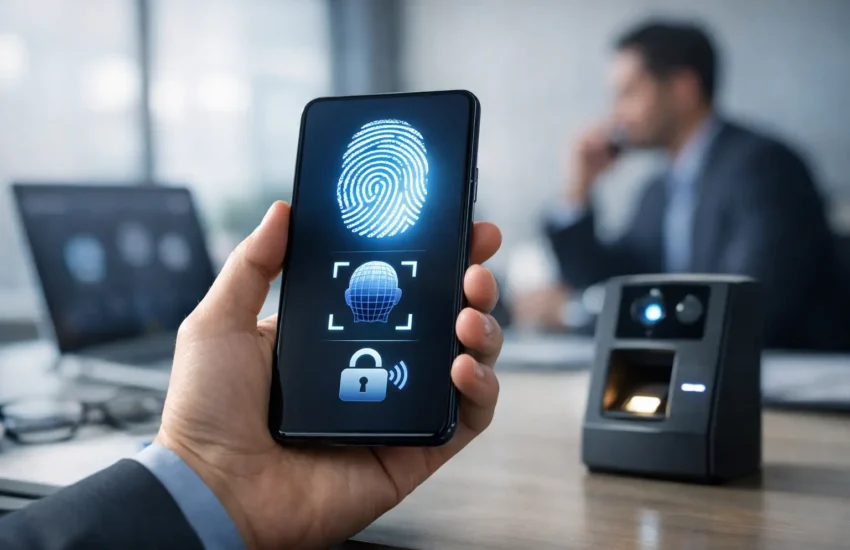
Passkeys are likely to play a central role. A passkey uses cryptographic credentials stored on a trusted device or security key. Instead of typing a password into a website, the user confirms their identity with biometrics, a device PIN, or a physical key. The private component remains protected on the device, while the service verifies the login through cryptography.
This matters because a passkey is tied to the legitimate service. If an employee lands on a fraudulent sign-in page, the passkey should not authenticate it in the way a reusable password might. That makes phishing campaigns substantially less effective.
Authentication will become more contextual
Passwords ask a narrow question: does the user know a secret? Modern identity systems ask more useful questions. Is this a recognised device? Is it managed and up to date? Is the user signing in from an expected location? Are they attempting to access a sensitive finance system at an unusual time?
The answer does not always need to be a hard block. A low-risk login may proceed with a biometric prompt, while a higher-risk attempt may require a security key, administrator approval, or a temporary restriction. This risk-based approach helps organisations protect sensitive data without creating unnecessary friction for normal work.
Identity will be linked to device health
A passwordless future also makes device management more important. If a phone, laptop, browser profile, or hardware key becomes part of the authentication process, the business must know which devices are approved and whether they remain secure.
That includes encryption, screen-lock policies, operating system updates, endpoint protection, and the ability to remove business access when a device is lost or an employee leaves. Passwordless authentication is strongest when identity and endpoint security work together rather than as separate projects.
Why Businesses Are Moving Away From Passwords
Password-related incidents are rarely caused by poor intent. Employees reuse passwords because they manage too many accounts. They approve multi-factor authentication prompts because repeated alerts create fatigue. They share access in informal ways when an urgent task needs completing.
For a business without a large internal IT team, these everyday habits create a difficult security gap. A compromised email account can lead to invoice fraud, unauthorised cloud access, data exposure, and disruption across several connected systems.
Passwordless methods can reduce the attack surface by removing the password that criminals want to capture. They can also improve employee experience. Logging in with a device-based confirmation is often faster than recalling a complex password, waiting for a one-time code, and repeating the process across multiple services.
There is an operational benefit as well. Password reset requests consume helpdesk time and interrupt work. Reducing their volume lets IT support focus on higher-value tasks such as access reviews, system performance, backup readiness, and security monitoring.
Passwordless Does Not Mean Risk-Free
A passwordless programme can fail if it treats convenience as the only goal. Credentials may be stored on a device that is later lost. A compromised mobile number can weaken SMS-based recovery. An attacker may target the helpdesk with convincing social engineering when they cannot steal a password directly.
The security question therefore moves from “How complex is the password?” to “How reliably can we verify identity throughout the access lifecycle?” This is a better question, but it requires clear policies and careful administration.
Account recovery deserves particular attention. Every business needs a documented process for an employee who loses their phone, changes devices, or cannot use their normal authentication method. Recovery should require identity checks proportionate to the account’s access level. A request to restore access to a basic collaboration account is different from a request involving payroll, banking, or administrator privileges.
Privileged accounts also need stricter treatment. IT administrators should use separate admin identities, phishing-resistant authentication methods, limited access windows where appropriate, and monitored emergency accounts. Removing passwords from standard user logins does not remove the need for disciplined privileged access management.
How to Prepare for a Passwordless Rollout
The right rollout begins with visibility, not a company-wide switch. Start by identifying the systems employees use, how they authenticate today, and which accounts carry the greatest business impact. Email, cloud administration portals, finance platforms, customer data systems, and remote access tools usually deserve priority.
Next, review whether each application supports passkeys, security keys, identity-provider authentication, or modern multi-factor authentication. Some legacy systems may only support passwords. In those cases, the practical approach may be to place the application behind a protected access layer, restrict it to managed devices, or plan a replacement over time.
A pilot group is useful because it exposes real-world issues early. Include users with different roles, device types, and working patterns. A finance manager who travels frequently, a remote employee using a personal mobile device, and an office-based administrator may each experience the process differently.
Before expanding the pilot, define ownership. Someone must approve access requests, review inactive accounts, remove leavers promptly, and test recovery procedures. Technology cannot compensate for unclear accountability.
For most organisations, four controls should be established before passwordless access becomes the default:
- A central identity platform that applies consistent sign-in and access policies.
- Managed-device standards, including encryption, updates, and remote removal of business data where needed.
- A documented account recovery process that cannot be bypassed through a simple phone call or email request.
- Logging and monitoring that alert the business to unusual sign-ins, privilege changes, and repeated recovery attempts.
Employee communication matters too. People need to understand why login prompts may change, how to register a new device, and where to get help. Positioning the change as protection for their work and company data is more effective than presenting it as another IT rule.
Consider the Realities of Mobile and Hybrid Work
For businesses in Dubai and across the UAE, access often happens across offices, client sites, homes, airports, and personal devices. This mobility makes passwordless authentication attractive, but it also increases the importance of clear bring-your-own-device boundaries.
A company may allow passkeys on personal phones for lower-risk services while requiring managed laptops or physical security keys for financial systems and administrative accounts. There is no single model that fits every organisation. The right balance depends on the sensitivity of the data, regulatory obligations, employee roles, and the company’s ability to manage endpoints.
Businesses should also avoid relying on one device alone. Users need a secure way to register a replacement authenticator, while the organisation needs protected backup methods that do not become an easy route around stronger controls.
Passwordless Authentication Needs Ongoing Management
The future of passwordless authentication will be defined less by a single technology choice and more by operational discipline. Identity platforms evolve, applications add support at different speeds, and attackers adapt their methods. Policies that were suitable during a pilot may need adjustment as the business grows.
Regular access reviews, device inventories, security monitoring, and recovery testing keep the programme reliable. A managed IT and cybersecurity partner can help centralise these tasks, connect identity controls with endpoint and network security, and provide support when access issues affect daily operations.
The practical next step is to assess your highest-risk sign-ins and test a phishing-resistant method with a small, well-supported group. A careful first deployment gives your business the confidence to replace password dependence without creating new gaps in access or recovery.
