

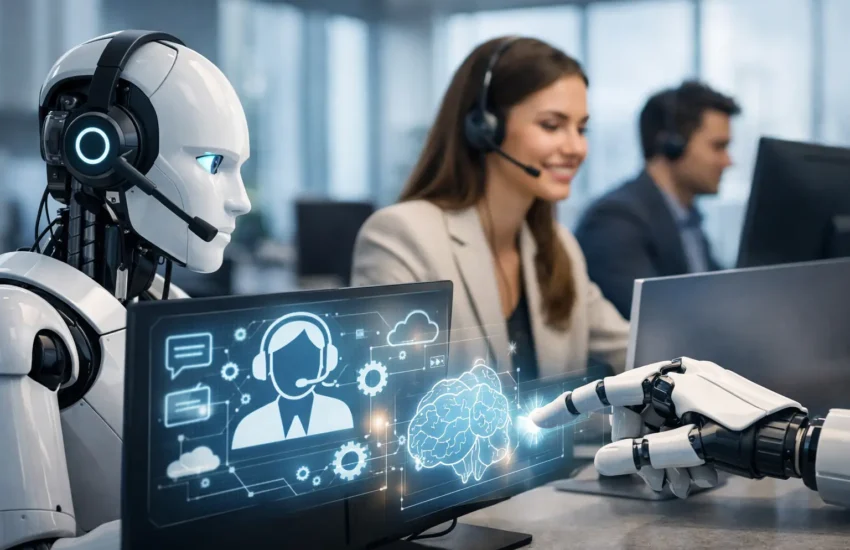
A forgotten password should not stop an employee from working for half a day. Neither should a routine software request consume valuable technician time while a server alert or suspected phishing incident waits in the queue. AI helpdesk automation trends are changing this balance by handling repetitive support work faster, while giving IT teams more capacity to protect systems, prevent downtime and resolve complex issues properly.
For startups and growing businesses, the appeal is clear. Support demand often rises before the business is ready to hire a larger internal IT team. Automation can make a subscription-based helpdesk more responsive, but only when it is designed around reliable processes, controlled access and human oversight. The goal is not to replace the IT professional. It is to ensure the right request reaches the right level of support at the right time.
AI Helpdesk Automation Trends That Matter in 2026
1. Smarter ticket triage replaces manual sorting
The first practical use of AI in helpdesk operations is ticket triage. Instead of asking a technician to read every incoming email, chat message or portal request, AI can identify the likely issue, classify it and assign a priority level. A request about a printer can be routed differently from a report that a user cannot access business-critical cloud files.
The value is not simply speed. Good triage uses business context. A payroll system issue on salary-processing day, a failed executive account login or repeated reports of suspicious email activity should receive immediate attention. By contrast, non-urgent requests can be queued and handled within agreed service levels.
This only works when ticket categories, escalation paths and service priorities are clearly defined. If the underlying helpdesk process is inconsistent, AI will make inconsistent decisions more quickly. Businesses should treat automation as a way to strengthen an existing support model, not as a shortcut around it.
2. Conversational self-service becomes more useful
Basic self-service portals have existed for years, but many employees avoid them because articles are difficult to find or written in overly technical language. AI-assisted support is making knowledge bases easier to use by allowing people to ask questions in plain language.
An employee might ask how to connect to a secure Wi-Fi network, request instructions for setting up multi-factor authentication or find approved steps for sharing a large file. The system can surface the most relevant guidance, ask a clarifying question when needed and offer an option to create a ticket if the issue remains unresolved.
For a business, this can reduce repeat requests and improve the employee experience. However, self-service content must be accurate, approved and regularly reviewed. A poorly maintained article about password resets, device enrolment or access permissions can create a security problem rather than solve one. Human ownership of the knowledge base remains essential.
3. AI will support technicians, not just end users
Some of the strongest AI helpdesk automation trends happen behind the scenes. Technicians can use AI to summarise a long ticket history, suggest troubleshooting steps, draft a clear response or identify similar incidents that have already been resolved.
This is particularly valuable when an issue passes between shifts or requires specialist escalation. Instead of reading dozens of updates, the technician can see a concise history: what the user reported, what checks have been completed, which changes were made and what should happen next.
AI-generated suggestions should never be treated as confirmed diagnoses. A good support provider verifies recommendations against the client environment, device configuration, vendor documentation and security policy. This protects against incorrect advice and keeps technicians accountable for the final decision.
4. Automated remediation will focus on low-risk issues
The next stage is not merely identifying common issues but resolving selected ones automatically. Common examples include restarting a stalled application, clearing a print queue, checking available disk space, updating an approved application or guiding a user through a password reset process.
For endpoints managed through central IT tools, approved workflows can run without waiting for a technician to intervene. This reduces disruption for users and removes repetitive work from the helpdesk queue.
The trade-off is control. Automation should have strict boundaries, especially where it involves administrator access, software changes, data deletion or identity permissions. Low-risk, repeatable tasks are good candidates. Actions affecting security settings, financial systems, sensitive data or production infrastructure should require approval and a clear audit trail.
5. Security and helpdesk workflows are moving closer together
Support tickets often contain early warnings of security incidents. A user who reports repeated login prompts, an unfamiliar multi-factor authentication request or a suddenly encrypted file may be describing more than a routine technical issue. AI can help correlate these reports with alerts from endpoint protection, email security and identity systems.
This enables faster escalation to the right security process. It can also identify patterns that are easy to miss when incidents are reviewed one at a time, such as several employees reporting similar phishing messages or multiple devices experiencing the same unusual behaviour.
For organisations in Dubai and across the UAE, this connection matters because business operations are increasingly cloud-based, mobile and dependent on continuous access to data. Fast support must not come at the cost of privacy or protection. Any AI platform used in the helpdesk should have clear data handling controls, access restrictions and retention rules that align with the organisation’s obligations.
6. Quality assurance will become continuous
Traditional helpdesk quality reviews often rely on occasional ticket sampling. AI can review a wider set of interactions to identify incomplete notes, missed service-level commitments, unclear communications or recurring issues that deserve a permanent fix.
This gives managers better visibility into the health of IT support. If users repeatedly ask for help connecting to a cloud service, the answer may not be more tickets. It may be a clearer onboarding process, better identity management or a network configuration review.
Continuous quality monitoring should be used carefully. Teams need transparent rules about what is reviewed and why. The purpose should be to improve service consistency and client outcomes, not to measure people through an opaque scoring system.
7. Proactive support will be measured by prevention
The most meaningful trend is the shift from reactive ticket handling to prevention. AI can help identify recurring device failures, capacity concerns, patching gaps and patterns in support demand before they become widespread disruptions.
For example, repeated VPN connection issues may point to an authentication policy or network capacity issue. A growing number of storage alerts may indicate that a server, backup plan or cloud environment needs attention. When support data is combined with infrastructure monitoring, the helpdesk becomes an early-warning function rather than a repair desk.
This approach suits businesses that want predictable IT operations. It also reflects the real value of managed IT services: fewer avoidable interruptions, clearer accountability and technology decisions based on evidence rather than repeated frustration.
Where Human Support Still Matters Most
AI is effective at recognising patterns, retrieving information and following approved workflows. It is less reliable when a situation involves incomplete context, conflicting priorities or business risk. An employee locked out during travel, a suspected account compromise, a failed line-of-business application or a migration problem requires judgement as well as technical skill.
Human support also matters when communication is sensitive. A business owner does not need an automated response after a possible data incident. They need a clear explanation of what is known, what is being investigated, what action is being taken and what they should do next.
The best model is therefore blended. Automation handles the volume, technicians manage exceptions and specialists oversee security, infrastructure and business continuity. With a managed partner such as URBlink, this can be structured around service levels, documented processes and ongoing improvements rather than disconnected tools.
How to Adopt AI Helpdesk Automation Safely
Start with the support requests that are frequent, well understood and low risk. Password guidance, ticket classification, knowledge-base search and status updates are usually sensible early candidates. Measure the results through first-response time, resolution time, reopened tickets, employee satisfaction and the number of issues resolved without manual intervention.
Before connecting an AI tool to helpdesk, identity or monitoring systems, establish who can access the data, where it is processed, what information is retained and how actions are logged. Restrict permissions and test escalation rules with realistic scenarios, including security incidents and urgent business requests.
Most importantly, keep improving the foundations. Clear documentation, asset records, user access controls, patch management, backups and network monitoring make automation safer and more effective. AI cannot compensate for unmanaged infrastructure, but it can help a well-run IT environment stay responsive as the business grows.
The right question is not whether AI can answer every helpdesk ticket. It is whether it can remove enough routine friction for people to work confidently, while ensuring expert support is ready when the issue truly matters.
