

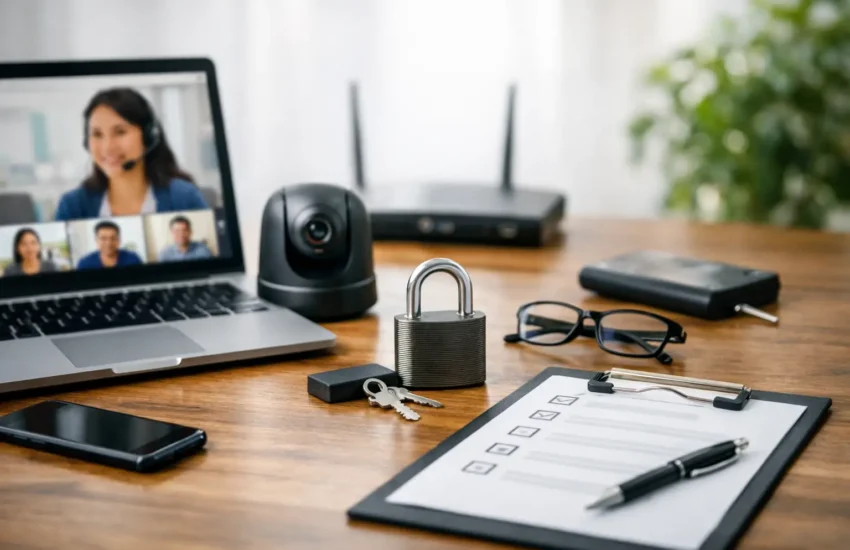
A staff member signing into a company account from an unsecured home router can create the same business risk as an unlocked office door. A secure remote work setup checklist gives small businesses a practical way to protect access, devices and sensitive data without making everyday work difficult for employees.
Remote work is rarely limited to one location or one device. Your team may work from home, a client site, a co-working space or while travelling. That flexibility is valuable, but it also expands the number of networks, endpoints and personal habits that need to be managed. The goal is not to monitor every action. It is to establish clear controls that allow people to work confidently while the business remains protected.
Secure Remote Work Setup Checklist
1. Start with a clear inventory of people, devices and access
Security cannot be managed properly if nobody can confirm who has access to what. Maintain an up-to-date record of employees, contractors, company laptops, mobile devices, software subscriptions and cloud accounts. Include the business owner and senior managers in this process, as privileged accounts are often the most valuable target for attackers.
For each person, define the systems they need for their role. A finance employee may need access to accounting software and payment approvals, while a marketing contractor may only require a project platform and selected shared folders. Granting broad access because it is convenient creates unnecessary exposure.
When someone changes roles or leaves the company, remove or adjust access immediately. This step is often missed in growing businesses where onboarding happens quickly and account ownership is spread across several people.
2. Protect every account with strong sign-in controls
Passwords alone are not enough for business systems. Require multi-factor authentication for email, cloud storage, accounting platforms, remote access tools and administrator accounts. A stolen password is far less useful to an attacker when a second verification step is required.
Use a business password manager so staff can create and store unique, long passwords without relying on spreadsheets, notebooks or repeated password patterns. Shared accounts should be avoided where possible. If a shared service is unavoidable, assign access through a controlled vault and review who can use it.
Pay particular attention to email. Email accounts are frequently used to reset passwords for other services, impersonate executives or redirect invoices. Enable phishing-resistant sign-in methods where available and ensure recovery phone numbers and email addresses are business-controlled, not tied only to one employee.
3. Standardise the devices used for work
A company-managed laptop gives the business far more control than an unmanaged personal device. It can be encrypted, updated, protected with endpoint security software and remotely locked or wiped if it is lost. For teams handling client records, financial data, health information or confidential intellectual property, managed devices should be the normal standard rather than an optional extra.
If employees use personal devices, create a formal bring-your-own-device policy. It should state what data may be accessed, whether local downloads are permitted, the minimum security requirements and the business right to remove company data when employment ends. A personal device may be acceptable for low-risk tasks, but it is not always appropriate for privileged administration or highly sensitive information.
Every work device should have the following baseline controls:
- Full-disk encryption enabled to protect data if the device is lost or stolen.
- Automatic operating system, browser and application updates.
- Business-grade endpoint protection with active threat monitoring.
- Screen lock settings that activate quickly when a device is unattended.
- Separate standard and administrator accounts, so daily work is not performed with elevated privileges.
There is a trade-off here. Tight controls can frustrate staff if they prevent legitimate work. The answer is not to weaken security, but to select manageable tools, define sensible exceptions and provide responsive support when employees need help.
4. Secure home networks and public connections
Remote staff do not need to become network engineers, but they should understand a few essential rules. Their home router should use a strong unique password, current firmware and WPA2 or WPA3 wireless encryption. Default router passwords should never remain in place.
Employees should avoid using public Wi-Fi for sensitive activity whenever possible. A mobile hotspot is often a safer alternative for short periods. Where remote access to internal systems is required, use a properly configured virtual private network or a zero-trust access solution that verifies the user and device before granting access.
A VPN is useful, but it is not a complete security strategy. It does not replace multi-factor authentication, endpoint protection, access controls or staff awareness. The right approach depends on whether your applications are cloud-based, whether staff need internal network resources and how sensitive the data is.
5. Keep company data in approved locations
Data protection becomes difficult when files are spread across desktop folders, personal email accounts, consumer file-sharing tools and messaging applications. Set approved platforms for documents, communication, customer records and project information, then make those platforms simple enough that employees will use them.
Apply permissions based on roles and business need. Not every team member needs access to every folder, client file or financial report. Sensitive folders should have limited membership, and sharing links should be reviewed regularly to prevent accidental public access.
Also consider how data moves. Staff should know when encryption is required, how to share large files safely and why company documents should not be forwarded to personal accounts for convenience. Clear procedures are particularly valuable for businesses that work with clients across Dubai, the UAE and international markets, where privacy expectations and contractual obligations may differ.
6. Build backup and recovery into remote work
Cloud services improve availability, but they are not a substitute for a tested backup plan. Files can still be deleted, overwritten, encrypted by ransomware or made inaccessible after an account issue. Protect critical data with backups that are automated, retained for an appropriate period and isolated from the primary environment.
Your recovery plan should answer practical questions: Who can restore data? How quickly can essential systems be brought back? What happens if a key employee’s laptop is stolen? How will the team communicate if email is unavailable?
Test those answers. A backup that has never been restored is an assumption, not a recovery capability. Even a short quarterly test can identify missing data, unclear responsibilities or access problems before an incident creates pressure.
7. Train staff to recognise real-world threats
Most security incidents begin with ordinary human interactions: a convincing invoice email, a fake login page, an unexpected attachment or a request that appears to come from a director. Training should be short, regular and relevant to the risks your team actually faces.
Teach employees to pause before entering credentials, approving payments or responding to urgent requests. Give them an easy way to report suspicious messages without fear of being blamed. A fast report can prevent a single phishing email from becoming a business-wide compromise.
Policies matter, but they should be written in plain language. Staff need to know what to do when a device is lost, a password may have been exposed or a client sends sensitive information through an unapproved channel. Clear reporting steps are more effective than a long policy document nobody reads.
8. Monitor, review and improve the setup
Remote work security is not a one-time project. Review user access, device compliance, software updates, backup results and security alerts on a defined schedule. Monthly checks may suit a small team, while businesses with more users, regulated data or higher transaction volumes may need continuous monitoring.
Document who is responsible for each area. Without ownership, updates are postponed, access reviews are forgotten and warnings can sit unnoticed. A managed IT partner can help centralise these tasks, provide helpdesk support for remote employees and maintain a clearer view of the business environment.
What to prioritise if your budget is limited
For a small business, the first priorities are multi-factor authentication, managed and encrypted devices, reliable backups, endpoint protection and staff phishing awareness. These controls address many of the most common and damaging risks without requiring a large internal IT department.
More advanced measures, such as network segmentation, detailed security event monitoring and zero-trust access, may be appropriate as your business grows. The best order depends on your data sensitivity, team size, client requirements and dependence on remote systems. A business processing payments or holding confidential client records should move faster than a team using only low-risk collaboration tools.
A secure remote environment should make good work easier, not harder. Start with the controls your team can follow consistently, assign clear responsibility for maintaining them and review the setup before a missed update, lost laptop or convincing phishing email tests it for you.
