

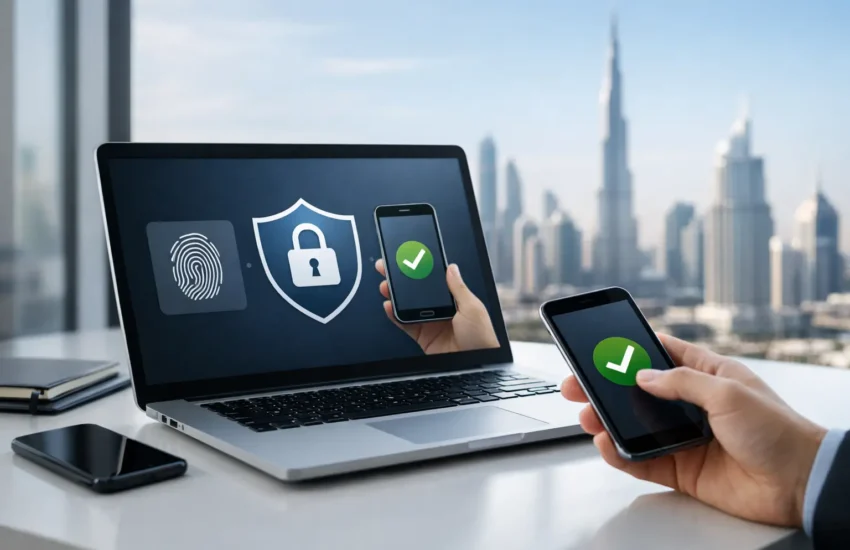
A single stolen Microsoft 365 password can expose email, invoices, payroll files and customer records in minutes. That is why the question is MFA required is no longer only about compliance. For most businesses, it is a practical decision about whether one compromised password can interrupt operations, cause financial loss or damage customer trust.
Multi-factor authentication, or MFA, requires users to prove their identity with more than a password. That might mean approving a sign-in through an authenticator app, entering a temporary code or using a security key. It adds a small step to the login process, but it removes a major advantage from attackers who rely on stolen, guessed or reused passwords.
Is MFA required by law or regulation?
The direct answer is: it depends on your organisation, the systems you use and the regulations or contracts that apply to you. There is no single rule that makes MFA mandatory for every private business in the UAE. However, many organisations are effectively required to use it because of sector-specific rules, client security requirements, cyber insurance conditions or the security standards they have agreed to follow.
Businesses operating in regulated fields such as financial services, healthcare, government supply chains or payment processing are more likely to face explicit access-control requirements. A regulator or framework may not always use the exact words “multi-factor authentication”, but it may require strong authentication, secure remote access, protection of sensitive data and controls appropriate to the level of risk. MFA is often the clearest and most defensible way to meet those expectations.
For companies handling personal data, the question should also be viewed through the lens of reasonable security measures. Password-only access to sensitive cloud services is difficult to justify when MFA is widely available, affordable and proven to reduce account takeover risk. If a breach occurs, the absence of MFA can raise difficult questions about whether basic safeguards were in place.
Contractual requirements matter just as much. Larger clients increasingly ask suppliers to confirm that MFA protects email, remote access, cloud storage and administrator accounts. Startups and growing businesses may encounter the same expectation during vendor due diligence, procurement reviews or enterprise sales discussions. In those cases, MFA is not merely recommended. It can become a condition for winning or retaining business.
Why MFA is a baseline security control
Passwords are still necessary, but they are not sufficient on their own. Employees may reuse them across services, attackers may capture them through phishing pages, and previously exposed credentials can circulate for years. Even strong passwords can be stolen if a user enters them into a convincing fake login page.
MFA changes the attacker’s path. Having a password is no longer enough to access the account. The attacker must also pass a second check, such as a device prompt or hardware key. This does not make an organisation invulnerable. Criminals can still use social engineering, session theft and prompt-fatigue attacks. But MFA substantially reduces the chance that a routine phishing email becomes a serious incident.
The business case is especially strong for cloud-first teams. Email platforms, accounting systems, customer relationship management tools and file-sharing services are accessible from anywhere. That flexibility supports productivity, but it also means every account is part of the security perimeter. MFA protects that perimeter without forcing staff to work only from the office or through a single network.
Where MFA should be mandatory first
If your organisation is not ready to enable MFA across every application immediately, start with the accounts that could cause the greatest disruption. Prioritise email, identity platforms, remote desktop and VPN access, cloud administration portals, finance and payroll systems, backup platforms and any account with administrator privileges.
Administrator accounts deserve particular attention. These accounts can create users, reset passwords, change security settings, access sensitive data and disable protective controls. They should use phishing-resistant MFA where possible, alongside separate accounts for routine daily work. An IT administrator should not browse the web and read email using the same highly privileged account used to manage your environment.
Finance teams are another priority. Business email compromise frequently begins with a stolen mailbox, followed by fraudulent payment instructions or altered bank details. MFA will not stop every invoice scam, so payment verification procedures are still essential. It does, however, make it harder for an attacker to silently monitor conversations and impersonate an authorised employee.
Choosing the right MFA method
Not all MFA methods provide the same protection or user experience. SMS codes are better than passwords alone, but they can be vulnerable to SIM-swapping and interception. They may be appropriate as a temporary option for low-risk users, but they should not be the preferred method for privileged accounts.
Authenticator apps are a practical choice for many small and medium-sized businesses. They are straightforward to deploy, do not rely on mobile network coverage and can support number matching or time-based codes. Push notifications are convenient, but users need training to reject unexpected prompts. Approving a notification simply to make it disappear can give an attacker access.
For high-risk users, hardware security keys and passkeys offer stronger protection against phishing. These methods confirm that the user is signing in to the genuine service rather than a fake website. They can require more planning, procurement and support, but the added assurance is valuable for executives, finance personnel and IT administrators.
The best choice depends on the application, the sensitivity of the data and how your people work. A field-based team may need a different approach from a finance department that works from a controlled office environment. The goal is not to impose unnecessary friction. It is to apply the level of protection that matches the risk.
How to introduce MFA without disrupting work
Poorly planned MFA rollouts create frustration, lock users out and encourage workarounds. A structured deployment avoids that outcome. Begin with an inventory of applications, user groups and administrator accounts. Identify which services already support MFA and where single sign-on can reduce the number of separate logins employees manage.
Then establish clear policies. Define who must use MFA, which methods are allowed, how lost devices are handled and who can approve recovery requests. Recovery is often overlooked. If a staff member loses a phone while travelling, they need a secure and documented way to regain access without helpdesk staff bypassing controls too easily.
A phased rollout is usually sensible. Start with IT administrators and executives, then secure email and core cloud systems, followed by finance, HR and the wider workforce. Test the process with a small group first. Their feedback can expose application compatibility issues, unclear instructions or gaps in the enrolment process before they affect the whole business.
Staff communication should focus on the reason for the change. Employees are more likely to cooperate when they understand that MFA protects their accounts as well as company information. Explain what legitimate sign-in prompts look like, when they should deny a request and how to report suspicious activity. Short, practical guidance is more effective than a lengthy policy document no one reads.
MFA is necessary, but it is not the whole answer
MFA should sit within a broader access-security plan. Devices need security updates and endpoint protection. Sensitive information should be backed up and tested for recovery. Access permissions should be reviewed when staff change roles or leave the business. Monitoring should alert the organisation to unusual sign-ins, impossible travel patterns and repeated failed authentication attempts.
It is also wise to reduce reliance on one identity method. Conditional access policies can restrict logins based on location, device health or risk signals. Least-privilege access limits what an account can do if it is compromised. Password managers reduce password reuse and make it easier for staff to use unique credentials.
For businesses without a dedicated internal IT security team, ongoing management is as important as the initial MFA setup. New employees need enrolment, former employees need prompt offboarding, and changes to cloud applications can create new gaps. URBlink helps businesses turn these controls into a managed, repeatable part of daily IT operations rather than a one-time security project.
The practical question is not whether MFA creates an extra step at login. It is whether your business can afford the consequences of an attacker getting through with only a password. Start with the accounts that matter most, support your users through the change and make secure access part of how your organisation works every day.
